

Purpose of NVR: Why You Actually Need One
You’ve seen NVR on every product listing. Every shop mentions it. Every website talks about it.
But nobody explains the simple question: What’s the actual purpose of NVR?
Why can’t you just use your cameras without one? Why spend extra money on a network video recorder? Can’t SD cards in each camera do the same job?
Good questions. Let’s answer them directly.
The Core Purpose of NVR — One Sentence Answer
The purpose of NVR is to record, store, manage, and access footage from multiple IP cameras through one central device.
That’s it. That’s the core job.
Your IP cameras watch. Your NVR saves what they see. You access everything from one place.
Without an NVR, each camera works alone. With an NVR, all cameras work together as one NVR CCTV system.
For a detailed technical explanation, what is NVR from Senstar covers the basics well.
Why Can’t Cameras Just Record Themselves?
Some IP cameras have SD card slots. They can record on their own. So why bother with an NVR video recorder?
Here’s the problem:
SD cards are small. A 64GB card fills up in 2-3 days with one camera. Then old footage gets deleted automatically. You lose evidence.
Each camera is separate. With 4 cameras, you have 4 SD cards. To find footage, you check each one individually. That takes forever.
No central viewing. You can’t see all cameras on one screen. You open each camera’s app separately. Messy.
SD cards fail. They’re not built for 24/7 recording. They wear out. They corrupt. Your footage disappears.
No remote backup. If someone steals the camera, they take the SD card too. Evidence gone.
An NVR network video recorder solves all these problems. One device. One storage. One place to check everything.
Read our guide on What is a Network Video Recorder (NVR)? for complete details.
5 Real Purposes an NVR Serves
Let’s break down exactly what a network video recorder system does for you.
1. Central Recording for All Cameras
This is the main purpose of NVR.
You have 4 cameras? 8 cameras? 16 cameras? All footage goes to one place — the NVR’s hard drive.
One hard drive stores everything. One device records everything. No hunting through multiple SD cards.
The NVR video recorder acts as the brain of your IP camera NVR system. Cameras watch. NVR remembers.
This NVR video recorders guide explains how centralised recording works.
2. Proper Storage That Lasts
SD cards give you days of storage. An NVR gives you weeks or months.
Most network digital video recorder units support hard drives from 1TB to 8TB or more. That’s serious storage.
Quick comparison:
| Storage Type | Typical Capacity | Recording Duration (4 cameras) |
| SD Card (64GB) | 64GB per camera | 2-3 days |
| NVR (2TB) | 2TB total | 30+ days |
| NVR (4TB) | 4TB total | 60+ days |
More storage means older footage stays available longer. When you need evidence from 3 weeks ago, it’s there.
3. One Screen for All Cameras
Without NVR, you open each camera app separately. Camera 1 on one window. Camera 2 on another. It’s chaos.
With an NVR CCTV setup, you see all cameras on one screen. Split view shows 4, 8, or 16 feeds at once.
Click any camera to go full screen. Click back to see all. Simple.
This matters when you’re checking footage. You see the whole picture — literally.
Check out NVR systems to see how multi-camera viewing looks.
4. Remote Access From Anywhere
Here’s a purpose of NVR that surprises many people.
Your NVR connects to your network. Your network connects to the internet. You connect from anywhere.
At home? Watch your shop cameras on your phone.
At work? Check your house on your laptop.
On vacation? Monitor everything from your hotel.
The NVR camera feeds travel through the internet to your app. Live viewing or recorded playback — your choice.
This guide on do I need NVR for IP camera explains remote access in detail.
5. Search and Find Footage Fast
Something happened at 3 PM last Tuesday. You need to find the footage.
With SD cards, you download files, scrub through hours of video, waste your whole afternoon.
With a network video recorder system, you:
- Select the date
- Select the time
- Select the camera
- Watch
Most NVRs also have motion detection search. Show me only moments when something moved. Skip hours of empty footage.
Smart search saves hours of your time. That’s a practical purpose of NVR that matters daily.
Common Misconceptions About the Purpose of NVR
Many people misunderstand what a network video recorder actually does. Let’s clear up the confusion.
“NVR is just for recording.”
Recording is one purpose of NVR, but not the only one. A proper NVR video recorder also manages playback, handles remote access, organises footage by camera and date, and allows quick searching. It’s a complete management system, not just a recorder.
“My cameras already have NVR built-in.”
No. Cameras capture video. NVR stores and manages it. Some cameras have SD slots for basic recording, but that’s not the same as a dedicated network video recorder system. The purpose of NVR is centralised control — something individual cameras can’t provide.
“NVR is only for big businesses.”
Wrong. Even a small shop with 4 cameras benefits from an IP camera NVR setup. The purpose of NVR scales with your needs. Small system? Small NVR. Big warehouse? Bigger NVR. The core purpose stays the same — organise and protect your footage.
“Any recorder works with any camera.”
Not true. NVR network video recorder systems work with IP cameras only. Analog cameras need DVR. Mixing them requires XVR. Understanding the purpose of NVR helps you buy the right equipment for your NVR camera setup.
NVR vs No NVR — What Changes?
Let’s make this crystal clear.
| Without NVR | With NVR |
| Each camera records separately | All cameras record to one place |
| SD cards fill up in days | Hard drive stores weeks/months |
| Check each camera app separately | One screen shows all cameras |
| No central backup | Central backup protects footage |
| Limited remote access | Full remote viewing on phone |
| Manual footage search | Quick search by date/time/motion |
The difference is organisation vs chaos.
Still comparing options? Read What’s Better, DVR or NVR? to understand how NVR compares to other recorders.
Who Needs an NVR?
Short answer: Anyone with more than one IP camera.
Small shop owners — You need to watch cash counter, entrance, and stockroom. Three cameras minimum. An NVR CCTV setup keeps everything organised.
Homeowners — Front door, backyard, driveway, maybe indoor cameras. Without NVR, managing 4+ cameras becomes frustrating.
Office managers — Reception, parking, corridors, meeting rooms. A network digital video recorder brings it all together.
Warehouse operators — Large spaces need many cameras. NVR is the only practical way to manage them.
If you have one camera, maybe SD card is fine. Two or more? You need an NVR.
Learn more about practical uses in What are NVRs Used For?
What About DVR? Different Purpose?
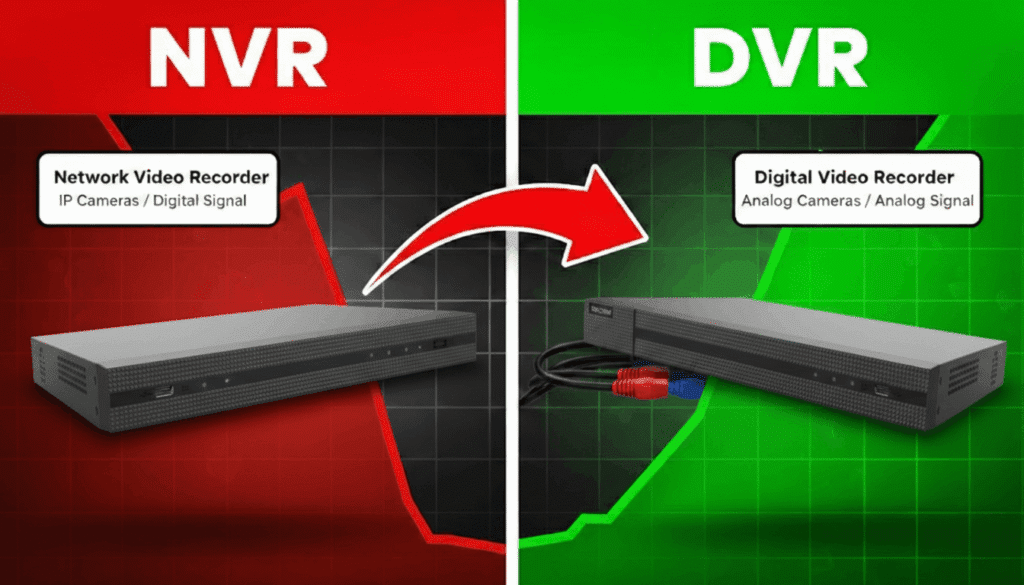
DVR (Digital Video Recorder) serves similar purpose — recording footage from cameras.
The difference? DVR works with analog cameras. NVR works with IP cameras.
Same job. Different camera technology.
If you have analog cameras, you need DVR. Check out Turbo HD DVR 4 Channel for small setups or Turbo HD DVR 8 Channel for bigger systems.
If you have IP cameras, you need NVR.
This what is NVR in CCTV guide explains the difference clearly.
For detailed benefits of choosing NVR, read What are the advantages of NVR?
The Purpose NVR Doesn’t Serve
Here’s what an NVR can’t do: Watch your cameras for you.
Your NVR records 24/7. Great. But who reviews the footage? Who spots the suspicious person at 3 AM? Who calls police when something happens?
Recording isn’t security. Watching is security.
Most people only check footage AFTER something bad happens. By then, the thief is gone. The damage is done. You have evidence, sure. But you’ve already lost.
That’s where monitoring comes in.
At GCCTVMS, we add what NVR can’t provide — human eyes watching your cameras live.
Our Security Operations Center monitors 24/7. Real people. Real attention. When something suspicious happens:
- Monitor — We watch your NVR camera feeds live
- Verify — We confirm if it’s a real threat
- Alert — We notify you immediately
- Action — We coordinate response if needed
Your NVR records. We watch. Together, that’s real security.
Check out our services to see how monitoring works.
Learn more about us and why businesses across Pakistan trust GCCTVMS.
Want to discuss your IP camera NVR setup? Book a free 30-minute meeting with our team. We’ll help you figure out what works for your situation.
Or contact us directly if you prefer.
More security tips on our blogs.
FAQ’s
What is the main purpose of NVR?
The main purpose of NVR is to record, store, manage, and access footage from multiple IP cameras through one central device. It acts as the brain of your NVR CCTV system—cameras capture video, and the NVR saves and organizes it.
Do I need an NVR for IP cameras?
If you have more than one IP camera, yes. Without an NVR, each camera records separately on SD cards. With an NVR network video recorder, all footage goes to one place. Easier to manage, more storage, better organization.
Can CCTV work without NVR?
Yes, but with limits. Some IP cameras record to SD cards or the cloud. But SD cards fill up fast and fail often. For proper storage, central viewing, and remote access with multiple cameras, you need a network video recorder system.
What’s the difference between NVR and DVR?
Both record camera footage. DVR (Digital Video Recorder) works with analog cameras. NVR (Network Video Recorder) works with IP cameras. Same purpose, different technology. Choose based on your camera type.
How long can the NVR store footage?
Depends on hard drive size, number of cameras, and video quality. A 2TB NVR video recorder with 4 cameras typically stores 30+ days. Larger hard drives (4TB, 8TB) store 60-90+ days.